



Translate your Ghost site and go from local to global in minutes with Weglot.
Weglot provides a powerful solution to make your Ghost website multilingual and manage your translations. It will detect all your website content and allow you to translate it in any language.
There are two ways to integrate your Ghost site with Weglot. The first is to configure your custom domain DNS settings and inject a JavaScript snippet across your site to display translated content on a dedicated subdomain like es.yoursite.com.
Alternatively, you can inject the JavaScript snippet on its own, to dynamically translate your posts and pages directly in the visitors browser. This guide will explain how to started with your translations!
Step 1: Create a Weglot account
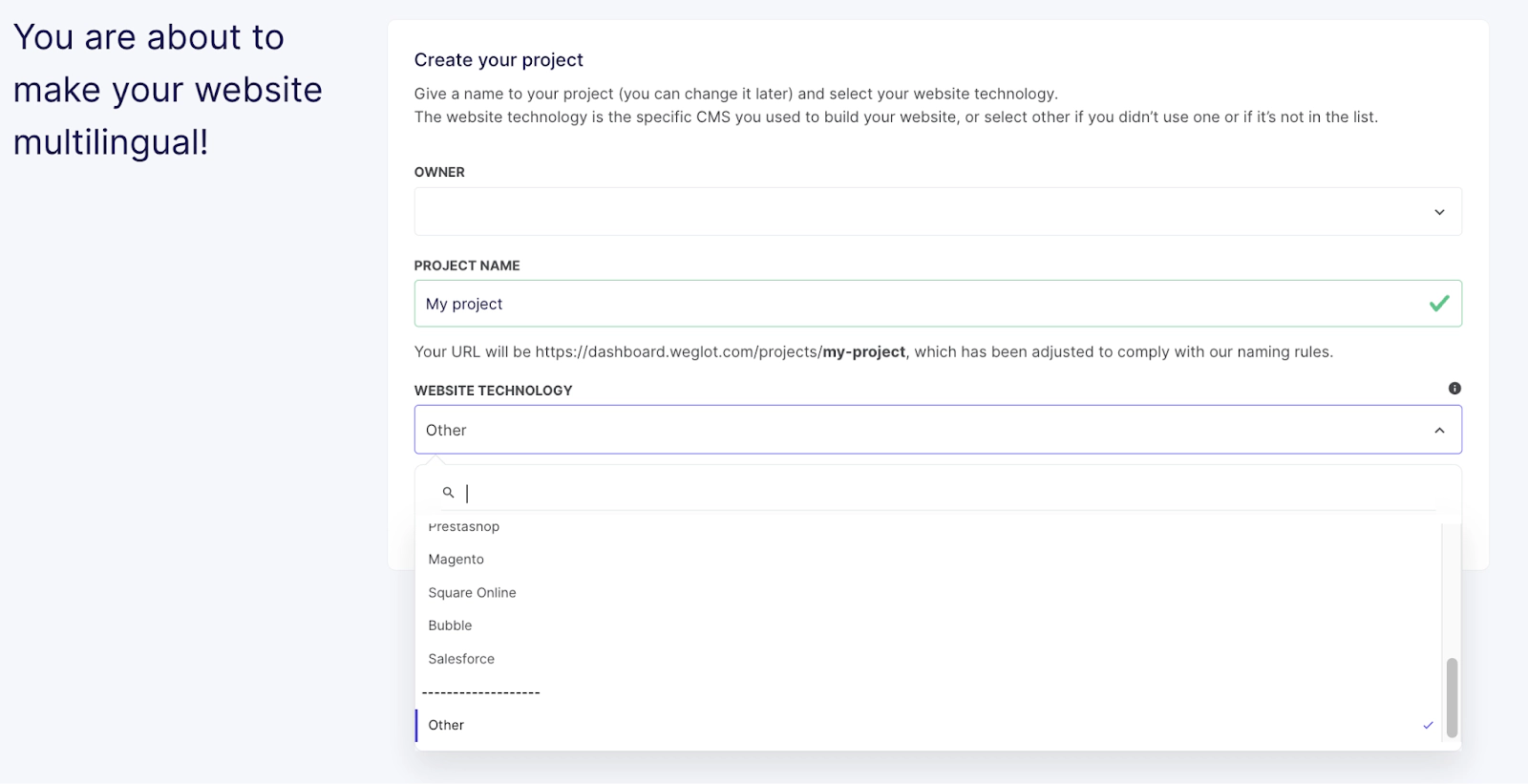
Sign up to Weglot, confirm your email, name your project in the dashboard and select “Other” as the website technology.
Step 2: Add your new languages
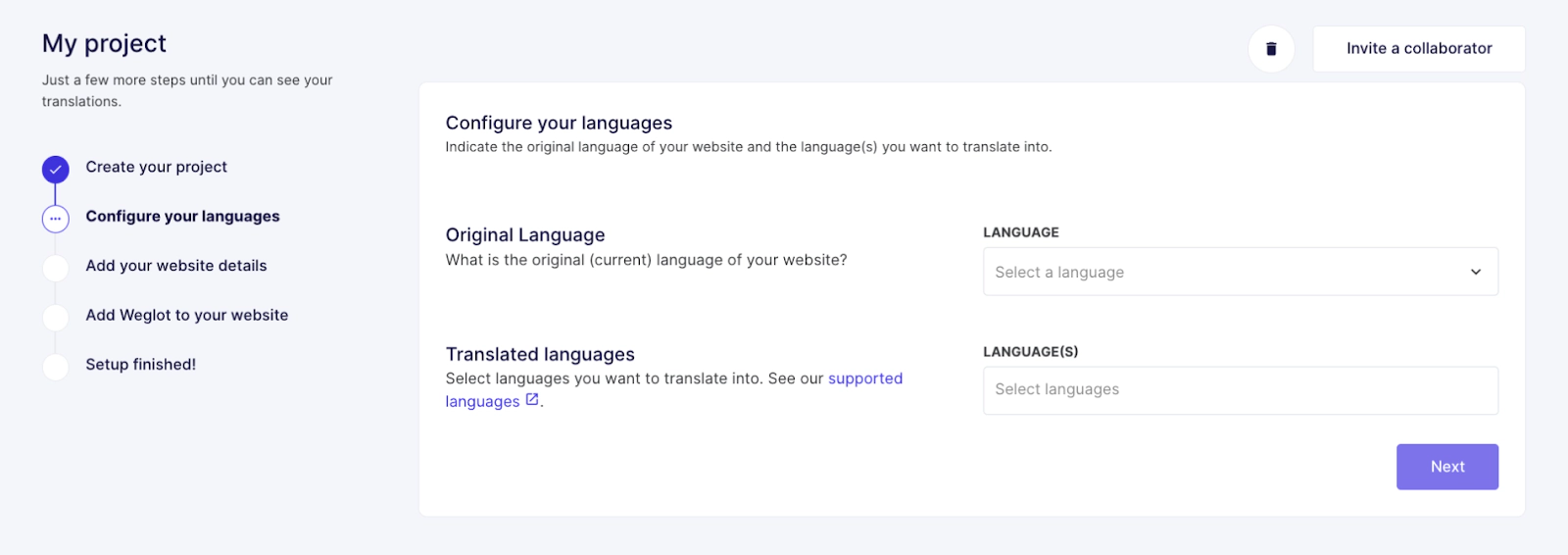
Choose your website’s original language and the languages for translation.
Step 3: Add your website details
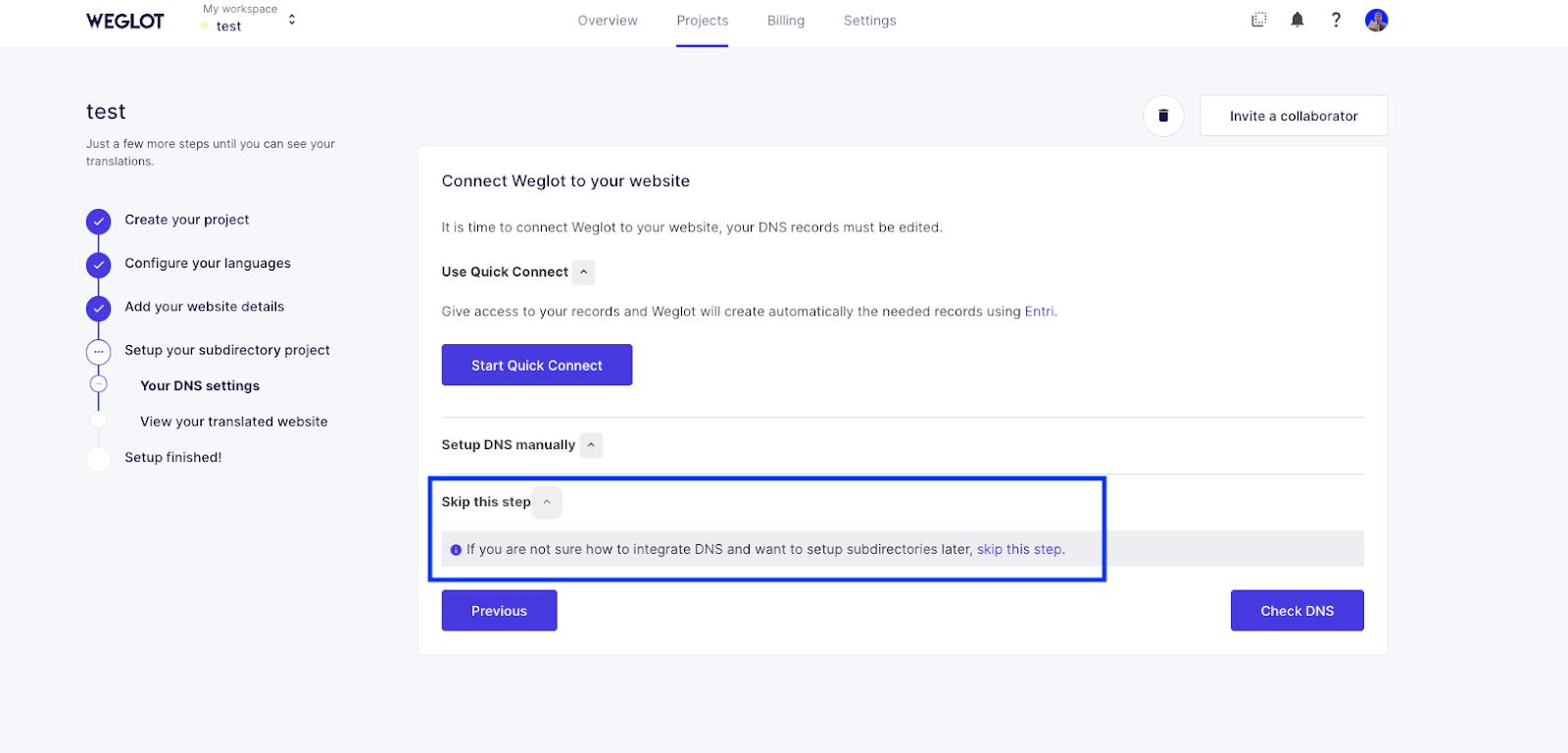
Enter your domain name (e.g., mywebsite.com), on the new page and click “Next.” > Then click on “skip this step”
Step 4: Add your language switcher
Copy the Weglot snippet provided in your dashboard.
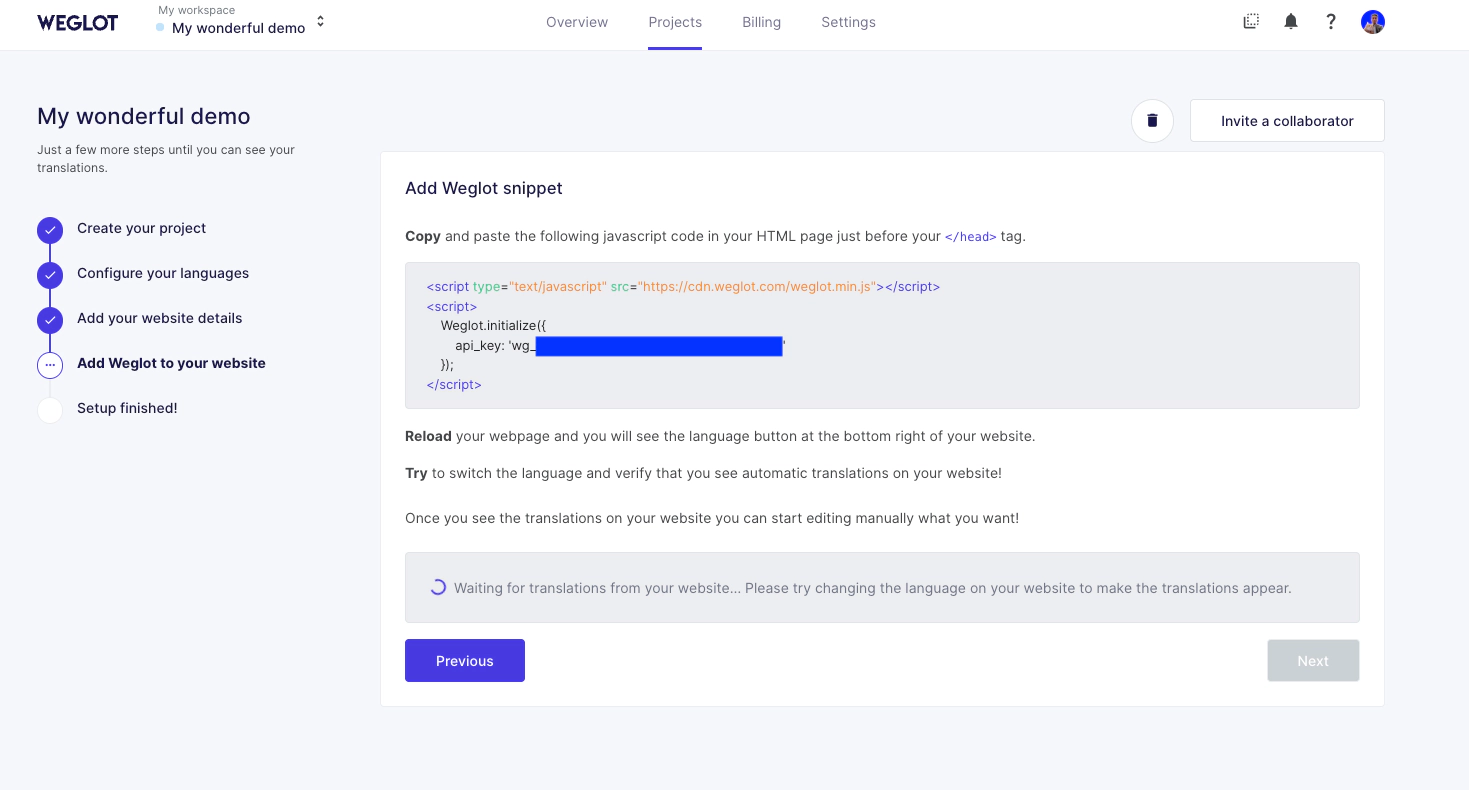
Paste your snippet into Settings > Advanced > Code Injection > Site Header and save.
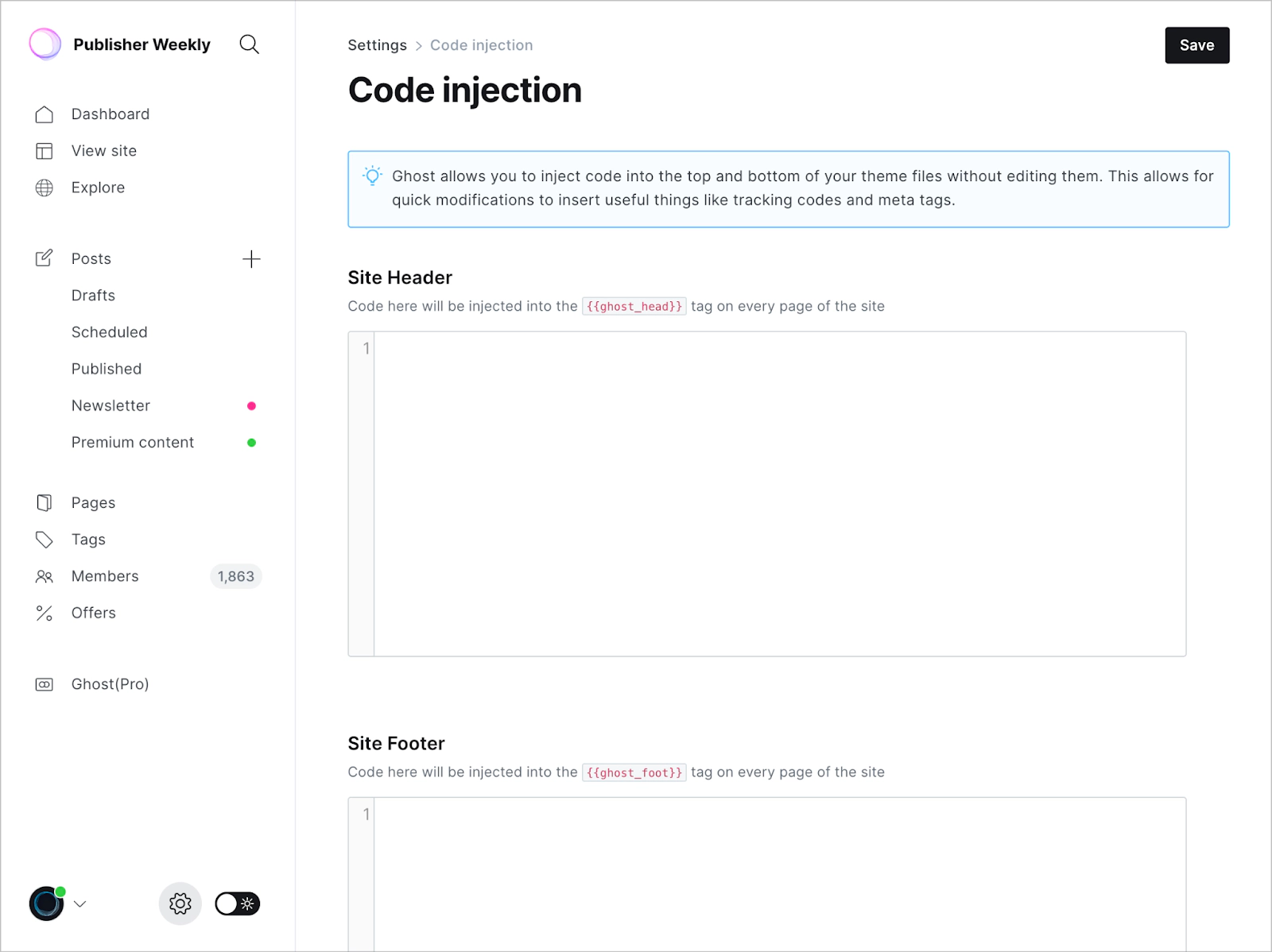
If you need help with these steps, don’t hesitate to reach out to WeGlot at support@weglot.com.
Your website is now multilingual, and a language button has been added at the bottom right. Change the language at least once to activate your Weglot account.
Translation and language button design management in your Weglot account:
After automatic translations have been generated, you can edit them. You can use the visual editor to see and change them directly on your page
Language button design can be customized with the switcher editor


